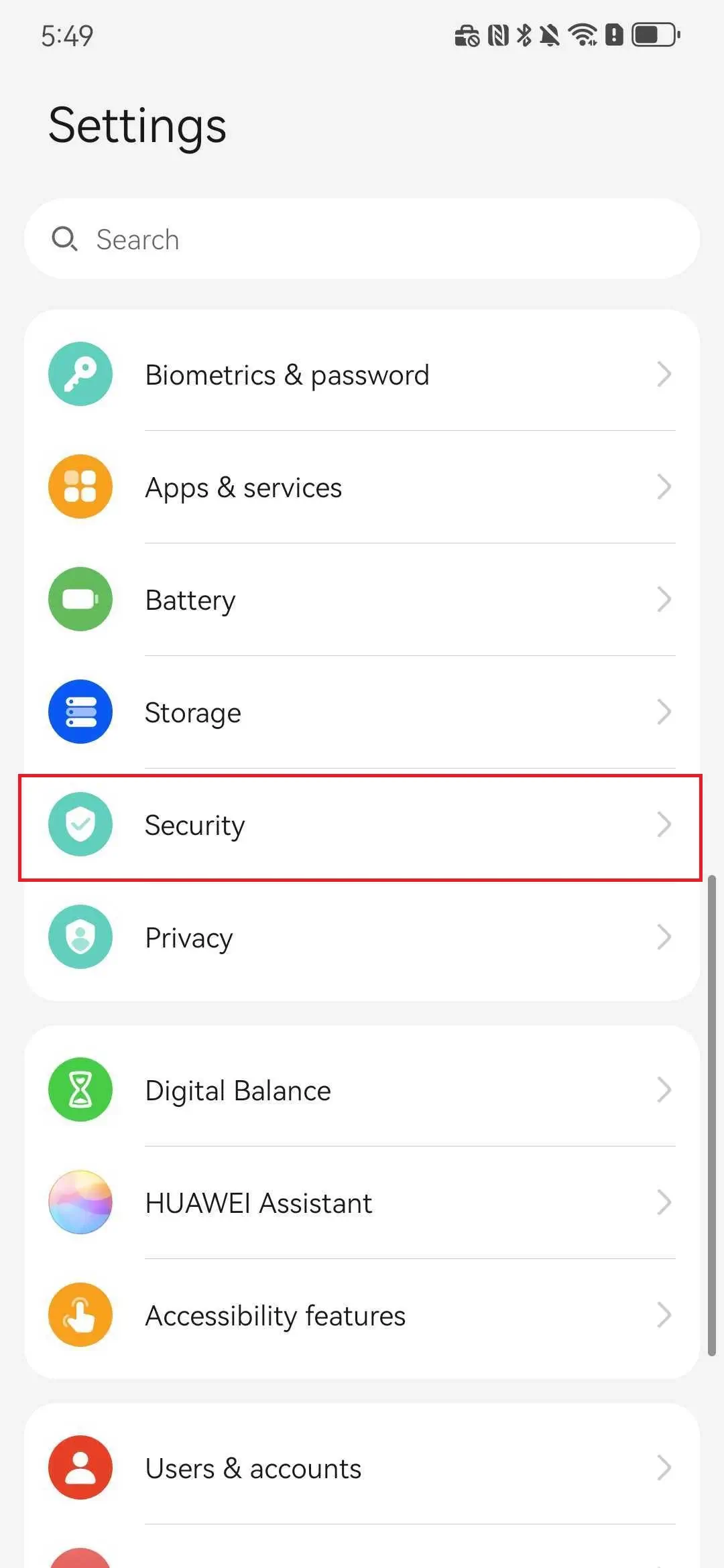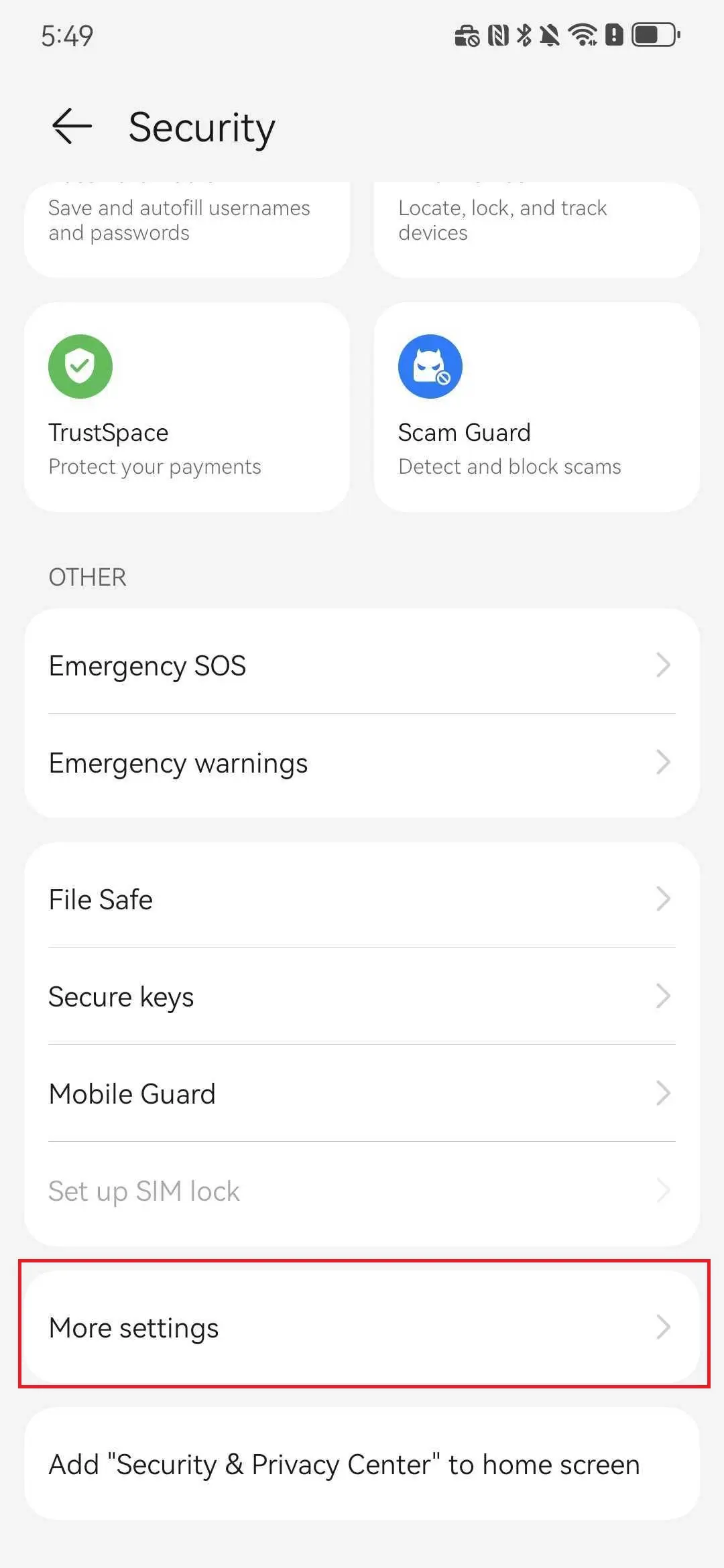
Go to Security / Privacy / System Security
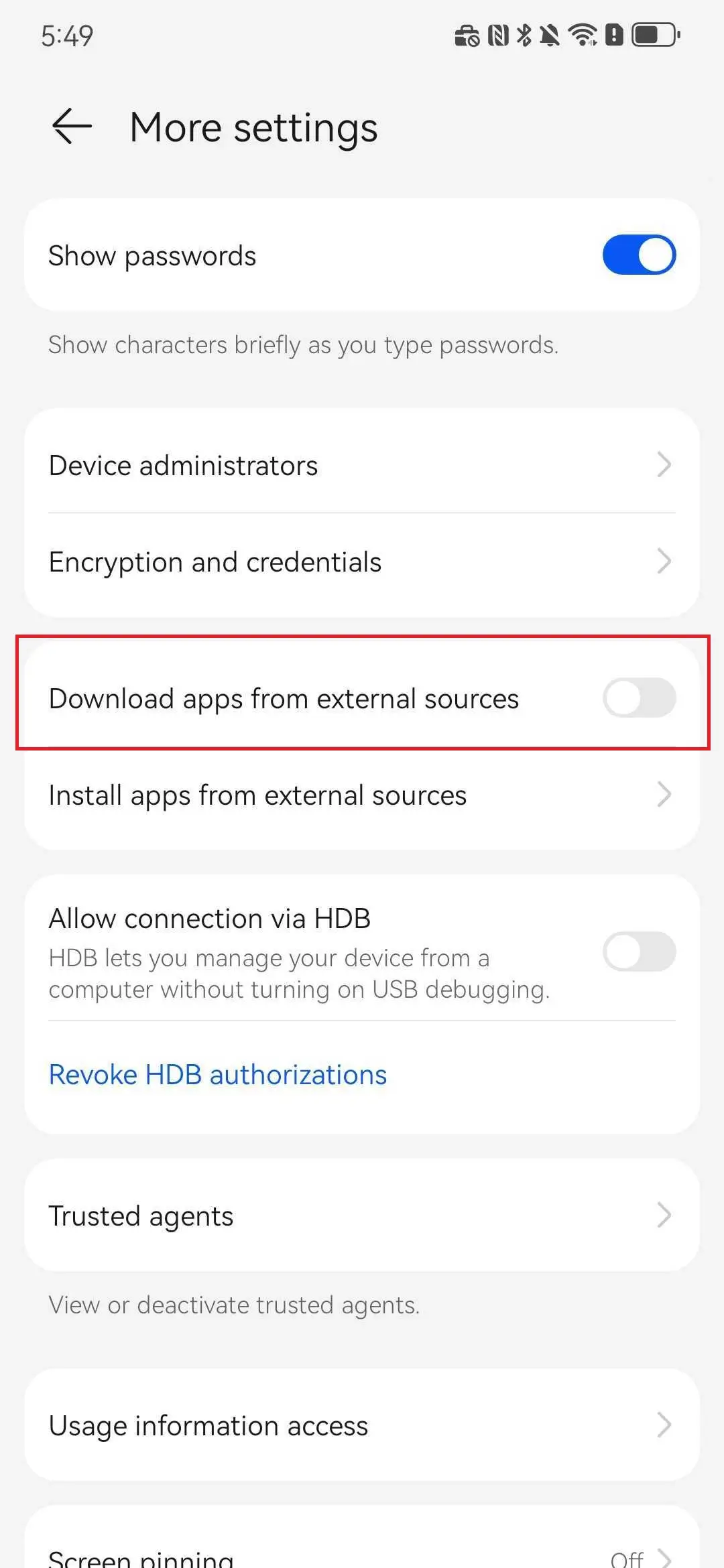
Find Install unknown apps / Allow unknown sources, select the source app (e.g. Browser / File Manager)
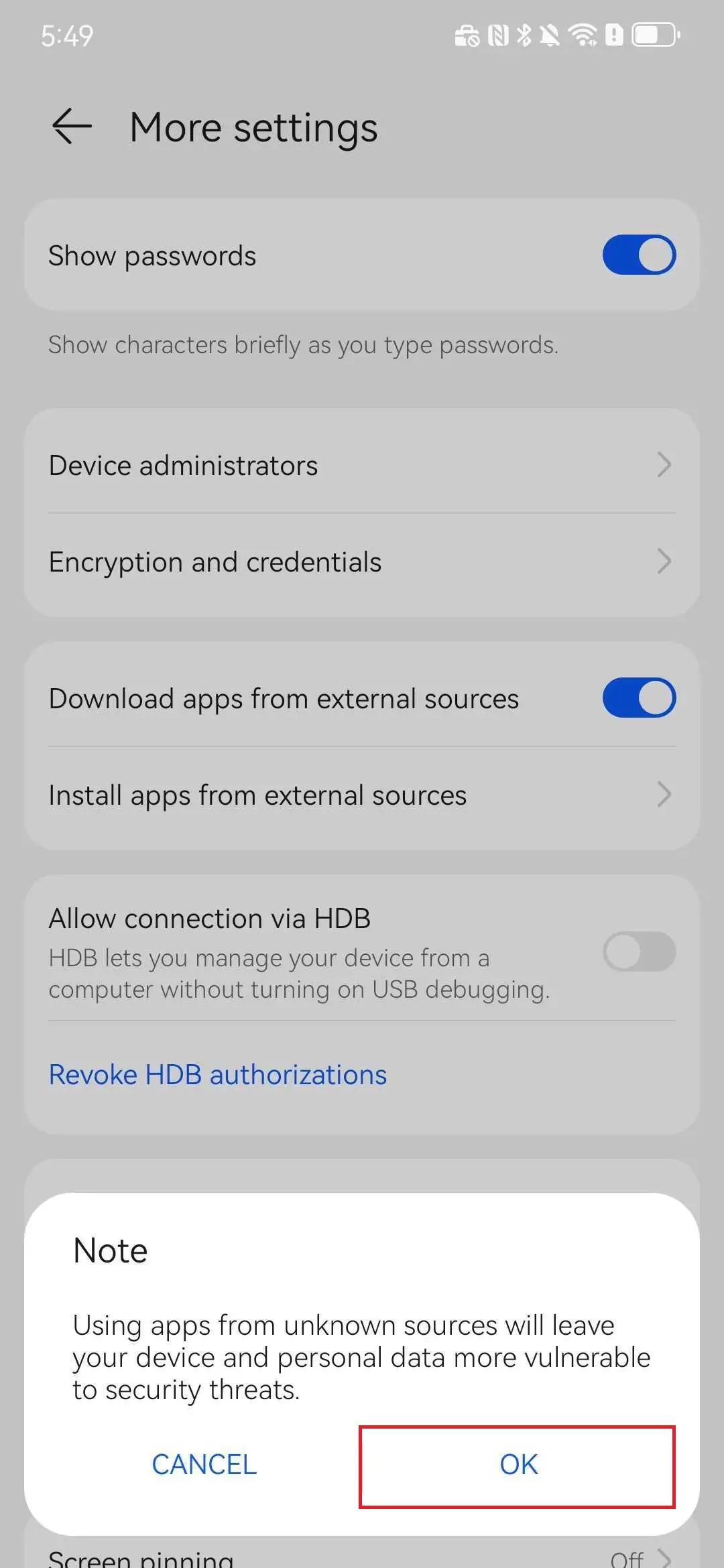
Enable Allow from this source
Settings → Security & Privacy → More security settings → Install unknown apps → Select source app → Enable allow
Settings → Security & Privacy → More security settings → Install unknown apps → Select source app → Enable allow
Settings → Privacy → Special app access → Install unknown apps → Select source app → Enable allow
Settings → Security → Privacy → Install unknown apps → Select source app → Enable allow
Settings → Biometrics & Security → Install unknown apps → Select source app → Enable allow
「Allow install unknown apps」 should only be enabled during installation; turn it off afterwards.
 AoxVPN